
ISO for Beginners: A Complete Guide to Understanding ISO in Photography
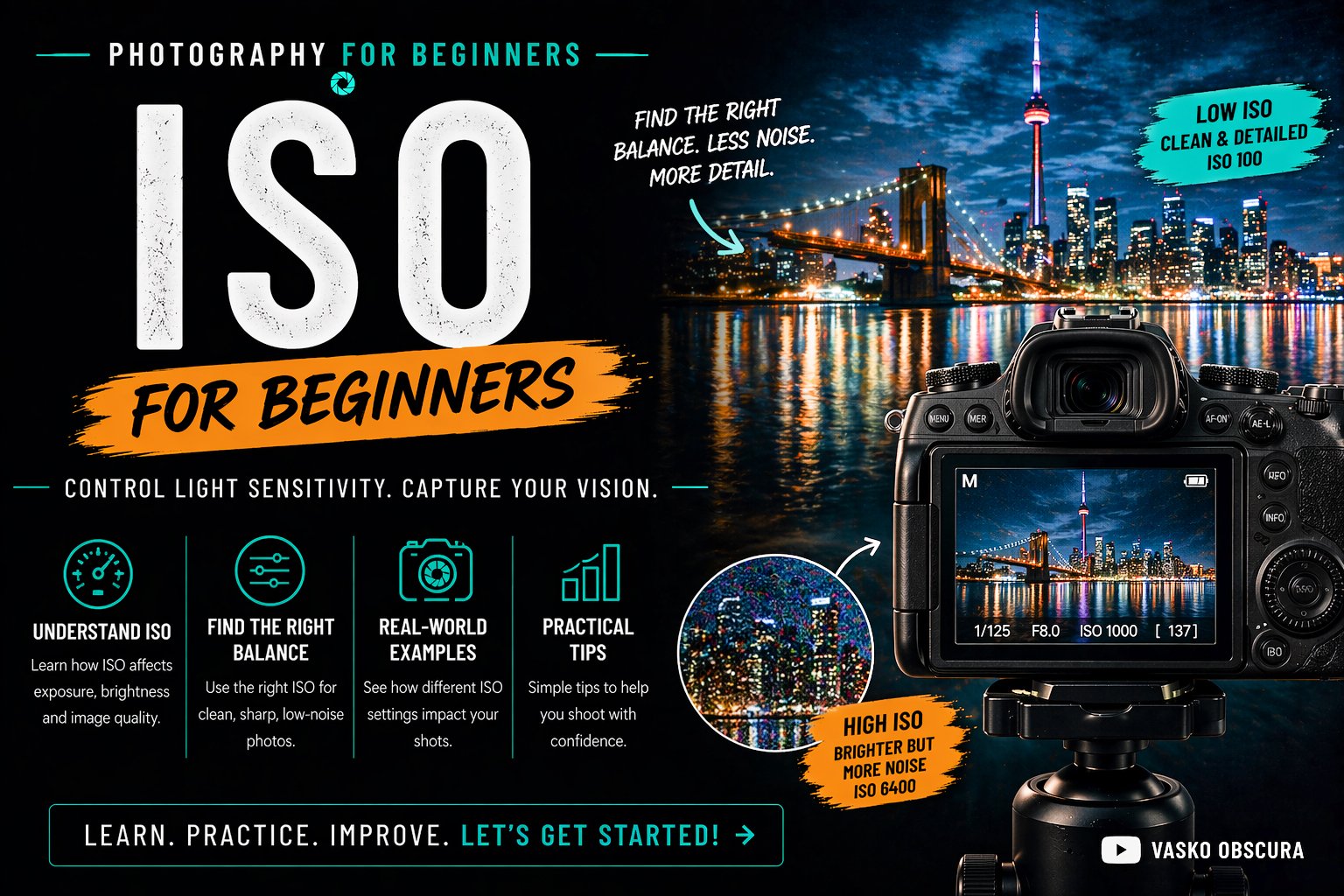
Welcome to the ISO tutorial for beginners. Glad you’re here! In this post I’ll teach you everything you need to know about mastering ISO. Learning how ISO works in the context of exposing an image is one of the most important steps in becoming a confident photographer. Alongside aperture and shutter speed these three settings form, what is called in the industry, the Exposure Triangle. So lets get you started along the path of mastering exposure. In this beginner friendly guide, you’ll learn exactly what ISO is, how it works inside your camera, when to raise or lower it, and how to use it properly in your photography workflow to get clean, sharp, well-exposed photos.
Table of Contents
What Is ISO?
ISO comes from the International Organization for Standardization. Originally, it referred to a standardized way of measuring how sensitive film was to light. Different film brands used to have different rating systems, and ISO created one universal standard so photographers could compare them easily. Some old American film canisters and vintage camera have ASA (American Standards Association) printed on them. Essentially it was the same thing. Eventually everything got standardized into ISO.
Now ISO is controlled electronically rather than chemically, but the concept remains the same. ISO refers to your camera sensor’s sensitivity to light. In simple terms, your ISO setting controls how bright or dark your photo appears by adjusting how much light information the sensor amplifies. The higher the ISO, the brighter your image becomes. The lower the ISO, the darker your image becomes. ISO is one of the three main exposure settings:
Aperture (how much light enters the lens)
Shutter Speed (how long light hits the sensor)
ISO (how sensitive the sensor is to light)
Together, these form the exposure triangle which you’ll learn about later in this tutorial series about exposure.
How ISO Works Inside Your Camera
Modern digital cameras do not actually become more sensitive to light when you raise ISO. Instead, they amplify the signal coming from the sensor. When light hits your camera sensor, it is converted into an electrical signal. This signal is very weak, especially in low light. When you increase ISO, the camera boosts (amplifies) this signal before it is turned into a digital image.
Here’s what happens step by step:
Light hits the sensor
The sensor converts light into an electrical signal
The camera amplifies the signal based on your ISO setting
The signal is converted into an image
The problem is that this signal also contains random electronic interference, called noise. When you increase ISO, you amplify both the useful image signal and the unwanted noise at the same time. This is why higher ISO images result in grainy or noisy photos. There you go now you know.
Types of Image Noise
Image noise appears as random speckles, grain, or color blotches in your photos. It is most visible in shadows and dark areas. There are two main types of noise:
Luminance Noise
Looks like black-and-white grain
Affects brightness
Usually more acceptable
Color Noise
Appears as red, green, and blue speckles
Looks unnatural
More distracting
As ISO increases, both types become more noticeable. Modern cameras use advanced noise reduction, but heavy noise reduction can soften your images and remove detail.
🎯 Pro Tip: In photo processing programs such as Lightroom, Adobe Camera Raw, Capture One etc. when you move the noise reduction slider over to reduce noise don’t forget to give the color noise slider a little nudge too.
Understanding ISO Values
ISO values are measured in numbers, usually starting at ISO 100 and increasing in powers of two:
ISO 100
ISO 200
ISO 400
ISO 800
ISO 1600
ISO 3200
ISO 6400
ISO 12800 and higher
Each step doubles the brightness of your image. For example:
ISO 200 is twice as bright as ISO 100
ISO 400 is twice as bright as ISO 200
ISO 800 is twice as bright as ISO 400
Some cameras also offer intermediate values like ISO 125, 250, or 500 for finer control.
Base ISO
Base ISO is the lowest native sensitivity setting of a camera’s sensor where it produces the highest image quality. At this setting, the sensor captures the most detail, the widest dynamic range, and the least amount of noise because very little signal amplification is needed. Shooting at base ISO is ideal for bright conditions or when using a tripod and controlled lighting, as it delivers the cleanest and most accurate results. For most modern cameras, base ISO is usually ISO 100 or ISO 64, though this can vary depending on the model.
Expanded ISO
Expanded ISO refers to camera ISO settings that go beyond the sensor’s native sensitivity range and are created through digital processing rather than true sensor amplification. These values, often labeled as “Lo” or “Hi” (such as Lo 1, Hi 1, or Hi 2), are achieved by artificially brightening or darkening the image after it has been captured. While expanded ISO can be useful in extreme lighting situations, it usually comes with trade-offs such as reduced dynamic range, increased noise, or loss of highlight and shadow detail. Because of this, expanded ISO is best used as a last resort when standard ISO settings cannot provide the exposure you need.
Dual Gain ISO
Dual Gain ISO is a sensor technology found in many modern digital cameras that helps improve image quality in both bright and low-light conditions. Instead of using one single amplification method, the sensor switches between two different “gain” levels depending on your ISO setting. At lower ISOs, the camera uses a low-gain mode to preserve maximum detail and dynamic range. When you reach a certain higher ISO (often called the “second base ISO”), the sensor switches to a high-gain mode that reduces electronic noise and improves low-light performance. This allows photographers to shoot at higher ISOs with cleaner results than older cameras, making dual gain ISO especially useful for night, indoor, and video shooting.
Low ISO vs High ISO: Pros and Cons
Understanding when to use low ISO and high ISO is key to getting professional-looking images.
Advantages of Low ISO (ISO 100–200)
Maximum image quality
Minimal noise and grain
Better color accuracy
Higher dynamic range
Sharper details
Low ISO is ideal for:
Landscape photography
Studio photography
Product photography
Outdoor daytime shooting
Tripod-based work
Disadvantages of Low ISO
Requires more light
Slower shutter speeds in dark conditions
May cause motion blur without a tripod
Advantages of High ISO (ISO 800 and Above)
Allows shooting in low light
Enables faster shutter speeds
Useful for events and street photography at night
High ISO is useful for:
Concert photography
Indoor sports
Night street photography
Weddings and events
Wildlife in low light
Disadvantages of High ISO
Increased image noise
Loss of fine detail
Reduced dynamic range
Less flexibility in editing
To summarize
Low ISO and high ISO each have their own strengths and limitations, and knowing when to use them is key to achieving professional-looking results. Low ISO settings (such as ISO 100–200) deliver the highest image quality, with minimal noise, accurate colors, strong dynamic range, and sharp detail, making them ideal for landscapes, studio work, and bright outdoor shooting. However, low ISO requires more light and can lead to slower shutter speeds in darker conditions. High ISO (ISO 800 and above) makes it possible to shoot in low light and use faster shutter speeds for events, sports, and night photography, but it comes at the cost of increased noise, reduced detail, and less editing flexibility. Choosing the right ISO for your shot is important but hold that thought for now. After you get through the Aperture and Shutter Speed tutorials we’ll talk about the best way to select your ISO based on your shooting scenario.
🎯 When you’re ready here is a tutorial worth checking out: Advanced Lighting Tutorial - How to Balance Lights When Shooting Video in Low Light
Why ISO Matters for Proper Exposure
ISO plays a crucial role in achieving proper exposure, especially when aperture and shutter speed are limited. Sometimes you cannot change:
Aperture (for depth of field reasons)
Shutter speed (to avoid blur)
In these situations, ISO becomes your main tool for controlling brightness.
For example:
Shooting portraits with shallow depth of field → You need a wide aperture
Shooting sports → You need a fast shutter speed
Shooting indoors → Limited light need a higher ISO
In all three cases, raising ISO may be necessary to get a usable photo. Knowing how far you can push your camera’s ISO without ruining image quality is part of becoming an experienced photographer. Each camera is different so I strongly recommend putting your camera on a tripod and shooting a range of photos from your lowest ISO to your highest ISO. Do this both indoors and outdoors. Then process your photos and look at them. You have to decide at what ISO level your images become too noisy and that is your limit.
🎯 Pro Tip: Some cameras give you the ability to limit your ISO sensitivity. So for example if you don’t want to shot past ISO 800 you can set your camera’s maximum ISO to be 800 so you can’t go past that point or accidentally go past that point. This is also a great way to prank your photographer buddies by setting their max ISO to 200. lol. But you didn’t hear it from me. 😇
👀 Sensor size has an impact on ISO. Smaller sensors typically need more light to get an exposure forcing you to increase ISO sooner. Bigger sensors gather more light so you won’t have to crank up the ISO as soon. Faster lenses (lenses with a bigger maximum aperture, lower f-number) also help keep ISO lower when shooting in darker environments. If your photography/videography business requires low light content it would be wise to consider larger sensor camera.
How to Use ISO in Your Photography Workflow
A smart ISO workflow helps you balance quality and exposure.
Step 1: Set Your Creative Priority
Decide what matters most:
Depth of field? → Choose aperture first
Motion freezing? → Choose shutter speed first
Maximum quality? → Start with low ISO
Step 2: Use the Lowest ISO Possible
Always begin at your camera’s base ISO when lighting allows. Only increase ISO when necessary. This habit alone will dramatically improve your photos.
Step 3: Raise ISO Only When Needed
Increase ISO when:
Shutter speed becomes too slow
Motion blur appears
You can’t use a tripod
Flash is not allowed
Step 4: Use Auto ISO Strategically
Many modern cameras offer Auto ISO. This allows the camera to adjust ISO automatically while you control aperture and shutter speed. Auto ISO works best when:
You set a maximum ISO limit ✅
You set a minimum shutter speed ✅
This prevents excessive noise. Personally speaking I never use auto ISO ever. I don’t want that surprise image that is all noisy.
Step 5: Check Exposure and Noise
Review your images and zoom in to check:
Sharpness
Noise levels
Shadow detail
Make adjustments as needed.
🎯 Auto Noise Reduction
Some cameras have built in auto noise reduction features. However, keep in mind that these features only affect jpeg and HEIF files but not RAW files. So if you shoot RAW don’t even bother turning on this feature.
Best ISO Settings for Common Situations
Daylight Landscapes
ISO: 100–200
Tripod recommended
Maximum quality
Portrait Photography
ISO: 100–400
Higher if indoors
Street Photography
ISO: 400–1600
Depends on light
Indoor Events
ISO: 800–3200
Balance noise and shutter speed
Night Photography
ISO: 1600–6400+
Use tripod when possible
Wildlife and Sports
ISO: 800–6400
Prioritize shutter speed
Common ISO Mistakes Beginners Make
Using ISO Too High in Bright Light
Many beginners leave ISO high from a previous shoot, resulting in unnecessary noise. Always reset ISO before shooting. This mistake happens often. I even catch myself doing this from time to time.
Being Afraid of High ISO
Some photographers refuse to go above ISO 800. This often leads to blurry photos. A sharp noisy photo is better than a blurry clean one.
Use a tripod at Night
Using a tripod can really help keep ISO low when shooting still scenes at night.
Relying Too Much on Auto ISO
Auto ISO is helpful, but it can push ISO higher than needed if not configured properly.
Frequently Asked Questions About ISO
What Is the Best ISO for Beginners?
Start with ISO 100 in good light and increase only when needed. This teaches good exposure habits. You can also refer to the Best ISO Settings for Common Situations section of this post.
Does Higher ISO Reduce Image Quality?
Yes. Higher ISO increases noise and reduces detail and dynamic range. I would suggest shooting pictures/videos with your camera at every ISO setting so you can figure out where your camera’s limit is. for photographers, also consider where you are using your images. If you’re shooting with a 30 megapixel sensor and you plan on shrinking your image to 1 megapixel for a post on Instagram than the noise pretty much disappears when you shrink your image.
Is It Better to Shoot Bright and Lower exposure Later?
NO! Exposing properly in-camera is better than darkening images in post. In fact if you shoot with Canon the best practice is to expose your images slightly darker and bring up the exposure in the shadows in post. It’s not really a topic for this tutorial but if you want to find out why watch this video from the 2:10 mark: Highlight Tone Priority Explained Canon Menu
Do Expensive Cameras Handle ISO Better?
If by more expensive you mean cameras with larger sensors, yes. Larger sensors and better processors produce less noise at high ISO. The bigger the sensor the better it preforms in lower light situations.
Final Thoughts: Mastering ISO for Better Photos
ISO is more than just a brightness setting. It directly affects image quality, sharpness, and editing flexibility. By understanding how ISO works and learning when to raise or lower it, you gain full control over your camera in any lighting situation.
Remember these key principles:
Use the lowest ISO possible
Raise ISO when shutter speed or aperture is limited
Don’t fear moderate noise
Prioritize sharpness
Practice in different lighting conditions
Mastering ISO, along with aperture and shutter speed, will help you move from beginner to confident photographer faster than almost any other skill.